visitors to your online store can easily
buy your products but you want to make
it easier for them to shop the digital
experience can help the shopper better
by helping them understand your products
and what is available so they can engage
with your brand explore new products and
buy more it takes content videos images
and text to tell stories that make your
product catalog come alive
the content can be shoppable such as in
this page banner here we have product
category teasers inviting the shopper
deeper into the catalogue featured
products are highlighted inviting the
shopper to explore more possibilities
and some teasers that help tell the
story of your products and give your
visitors more ways to shop you can even
embed links in a video to create a more
shoppable experience adding content to
your commerce environment doesn't have
to be difficult here we'll show you how
easy it is to add content to my hybrid
shop here's the first spirit interface
notice how we're looking at a live
preview of the page this is also our
editing environment this ensures that we
can see exactly how it's going to look
once it gets published there are more
regions on each page where I can add my
marketing content this includes the
category pages and the product detail
pages these boxes are where I can easily
add that content to show an example I'll
create a landing page for our latest
promotion here we can build a campaign
for our newest backpack to promote the
product better we want to allow the
shopper to click on the image to buy the
backpack or learn more about it
let's embed a product link into the
image we can search the product database
and locate the exact product we want to
highlight I don't have to know the
specific ID or name or description
because hovering over these shows me
some of the metadata about each product
including the thumbnail product name
description etc so here's the one we
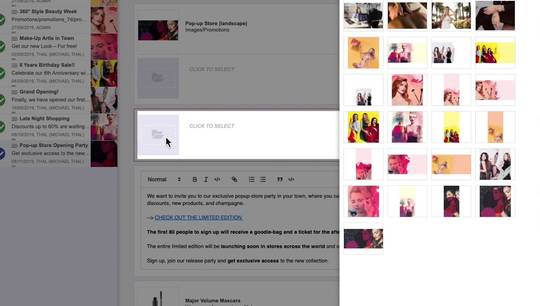
want adding the image is easy it can
come from my images or I could have
easily uploaded a new one into the
content repository now that I've chosen
the image adding a shoppable hotspot is
as easy as taking the product I located
earlier and dragging and dropping it
onto the page
and of course easily round out the top
banner with a teaser
let's feature some more backpacks from
the same product line here I can choose
to use the image from the catalogue or I
can override it here with one of my own
I also have the option of cropping the
image so it fits well within the frame
now that I have my teasers I want to
also integrate a video at the bottom of
the page I can quickly set up what I
want the teaser to contain remember how
I searched for products from my
catalogue here I can search across other
content silos as well including videos
and external digital asset management
systems today I'm searching YouTube I'll
drag it onto the page alongside the
other attributes of this section there
and my landing page is complete one last
step is to alter the preview so I can
see how this page is gonna look on other
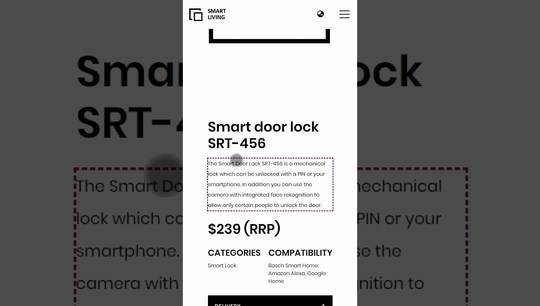
devices here's a tablet preview and
here's a smartphone preview I like it so
now it can easily be published on my
hybrid shop this shows how easy it is to
use first spirit in Hybris to
orchestrate editorial marketing content
and combine it with product content to
create shoppable customer experiences
thanks for watching